Best friend role reversal
Swap faces in a photo where each person is doing something typical of the other, like the gym friend holding a book or the quiet friend becoming the party host.
 GIF Face Swap
Make a GIF
Video to GIFImages to GIFMP4 to GIFConvert a GIF
GIF to MP4GIF to WebPGIF to WebMEdit & inspect
GIF CompressorGIF AnalyzerTutorials & Guides
How to Face SwapHow to Face Swap a GIFHead Swap IdeasArticles & Comparisons
BlogFree GIF Face Swap ComparisonGoogle Face Swap GuideHelp & Answers
Face Swap FAQHelp & SupportTurn ordinary snapshots into shareable, silly, and surprisingly creative photo edits with a simple head swap. Whether you want a quick birthday laugh, a family group-chat moment, or a playful social post, a good head swap starts with the right idea and the right photo pair. Try your first head swap concept with the starter credit on a new signed-in account, then use the ideas below to make the result feel intentional instead of random.
Open Photo Face SwapThe studio changes the face while keeping the target photo's hairstyle, pose, clothing, lighting, and background. It does not replace the complete head or hair.

Start with a photo where the joke is instantly clear: two people trading roles, a pet becoming the “boss,” or a serious portrait turning into something completely unexpected. The best first head swap is simple, high-contrast, and easy to understand in one glance, especially if you plan to share it in a message, invitation, or social post. Choose faces that are looking in a similar direction so the edit feels cleaner and the final image keeps the humor without looking confusing.
If you are using your new-account starter credit, begin with one strong idea rather than a complicated scene. A clean source photo, a matching angle, and a funny setup will do more for the final result than piling on extra effects. Think of the swap as the punchline, then let the caption or occasion support it.


A head swap works best when it creates a tiny story. Instead of only asking, “Whose face should go where?” ask what new situation the swap creates. A toddler with a CEO pose, a grandparent as the star athlete, or a dog wearing the most serious expression in the group can turn a normal image into a memorable one.

Use these ideas as prompts for your next edit. The idea does not need to be complicated. In fact, the simplest swaps are often the funniest because viewers understand the joke instantly.
Swap faces in a photo where each person is doing something typical of the other, like the gym friend holding a book or the quiet friend becoming the party host.
Use a current photo and an older family image to create a playful then-and-now comparison.
Put a pet’s face into the person who clearly runs the household for a light, low-pressure joke.
Swap the guest of honor into every person in a party scene for a funny digital card or group-chat reveal.
Test a silly costume idea by swapping faces into movie-style, fantasy, or themed outfit photos.
Turn a normal desk photo into a mock “meeting with myself” moment by placing one face on several people in the scene.
Swap into a beach, mountain, or city scene to create a playful “wish I were there” image.
Put a friend’s face onto the most dramatic pose in a game-day photo for a custom reaction image.
Your source images matter more than any clever caption. A bright, front-facing photo usually gives you the most natural-looking head swap, while extreme angles, heavy shadows, sunglasses, or covered hairlines can make the result harder to read. If the goal is comedy, a slightly imperfect swap can still be charming, but the faces should be recognizable.
A good before-and-after approach is to test one swap, look at what feels off, then change only one thing. Try a better-lit face, a closer angle, or a source photo with a similar expression. Small changes can make the difference between “almost funny” and “send this immediately.”
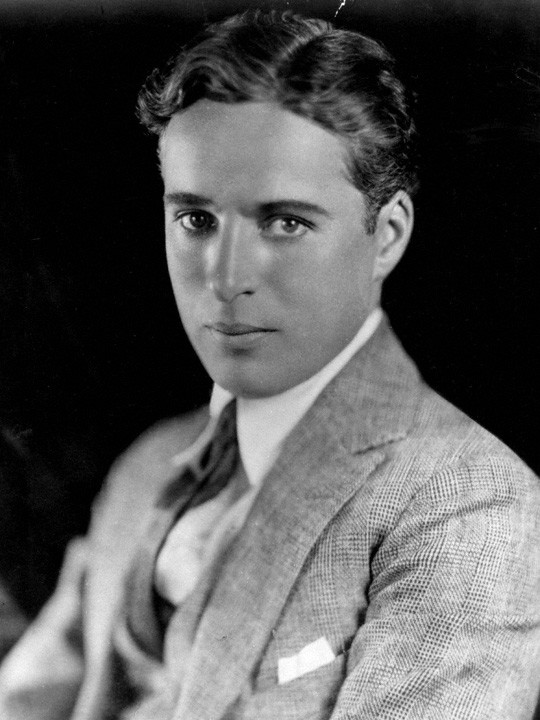
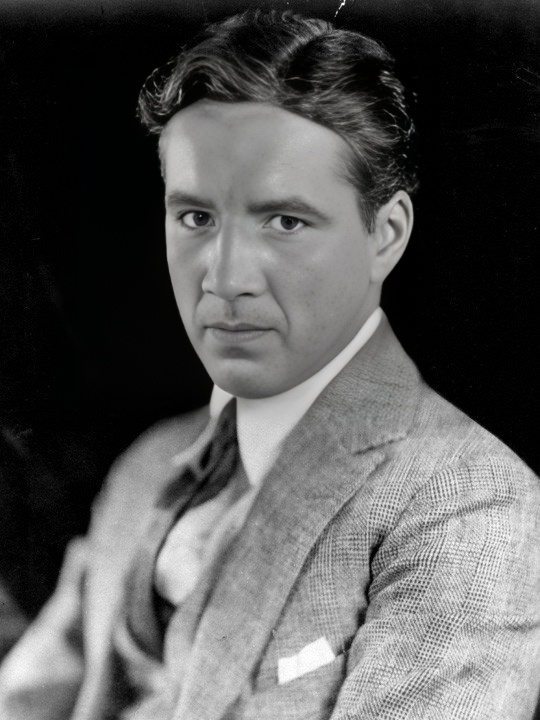
A head swap can be more than a quick joke when it is matched to a real moment. For birthdays, the swapped face can turn a standard greeting into something personal. For holidays, it can make family photos feel fresh without needing a full photoshoot. For friend groups, it can become an inside joke that gets reused every time someone needs a funny reaction image.
For a more polished result, match the tone of the edit to the audience. A goofy swap is perfect for close friends, while a softer, more wholesome swap may be better for family announcements, classroom projects, or light event promotion. The goal is to make the viewer feel included in the joke, not targeted by it.
Think about where the image will appear before you make it. A square crop works well for social posts, while a vertical image often feels better for stories or phone wallpapers. A wider image may be stronger for digital invitations, slideshows, or party screens. If you plan to add text, leave open space around the subject so the words do not cover the swapped face.
You do not need a complex plan to create a strong head swap, but a short workflow helps you avoid messy results. Start with the message you want the photo to send, then choose images that support that message. If the scene already has movement, emotion, or contrast, the swap will feel more entertaining.
This workflow keeps the creative part enjoyable while giving you a better chance of producing an image people actually want to save and share.
Open Photo Face SwapThe studio changes the face while keeping the target photo's hairstyle, pose, clothing, lighting, and background. It does not replace the complete head or hair.
Decide whether the image is cute, absurd, nostalgic, or party-ready.
Use the image with the body, setting, or situation you want to keep.
Select a clear face with a similar angle and lighting.
Look for alignment, expression, and whether the idea reads quickly.
Try a different source photo if the lighting, size, or direction feels off.
Let the image carry the joke when it is already obvious.
Use photos people are comfortable with, and keep the mood fun.
Once your edit is ready, it can work across more than one format. A single funny head swap can become a birthday message, a profile image for a themed event, a party invitation graphic, or a reaction image in a group chat. If you make several versions, keep the same base photo and change only the face for a series that feels connected.
For best results, save the original photos separately and keep one clean final version without too much added text. That gives you more flexibility if you want to crop, print, or reuse the image later.
The easiest way to find your best idea is to make one quick version and see what makes you laugh. Choose a clear photo, pick a face that matches the angle, and use your starter credit for the first head swap concept before you spend time perfecting the details. Once the first edit works, create a few variations for different friends, holidays, or captions.
Ready to turn a normal photo into something people will actually react to? Start with one playful idea, make your head swap, and share the version that gets the biggest smile.